 KLIMENTYEV Cloud
Your files
Your cloud
A straightforward way to upload, download and synchronize folders with Google Drive. Choose your files, keep track of transfers, and share what you decide to share.
Windows and Mac editions are in beta testing. Google sign-in uses your browser. Public installers are not yet available.
KLIMENTYEV Cloud for Windows and Mac
Transfer Google Drive files and folders directly from your computer—without browser-generated split ZIP archives.
Windows Beta testing
Windows 10 and 11. A desktop client with a transfer queue and controls for uploads and downloads.
macOS Beta testing
Apple Silicon Macs (M1 and later). Initial launch and file uploads have been successfully tested on an M2 Pro running macOS Tahoe.
Both editions are in testing. Public installers will be provided when the release is ready.
One place for your transfers
Move complete folder structures without browser-generated ZIP archives. Keep control over each transfer, whether you are sending a photo shoot or a collection of work documents.
Upload files and folders
Send photos, video, documents, archives and any other file types to your Google Drive.
Download to your destination
Choose a folder on Windows or Mac and download files there directly, without split ZIP archives.
Optional one-way sync
Upload once, or monitor a local folder and upload newly added or changed files.
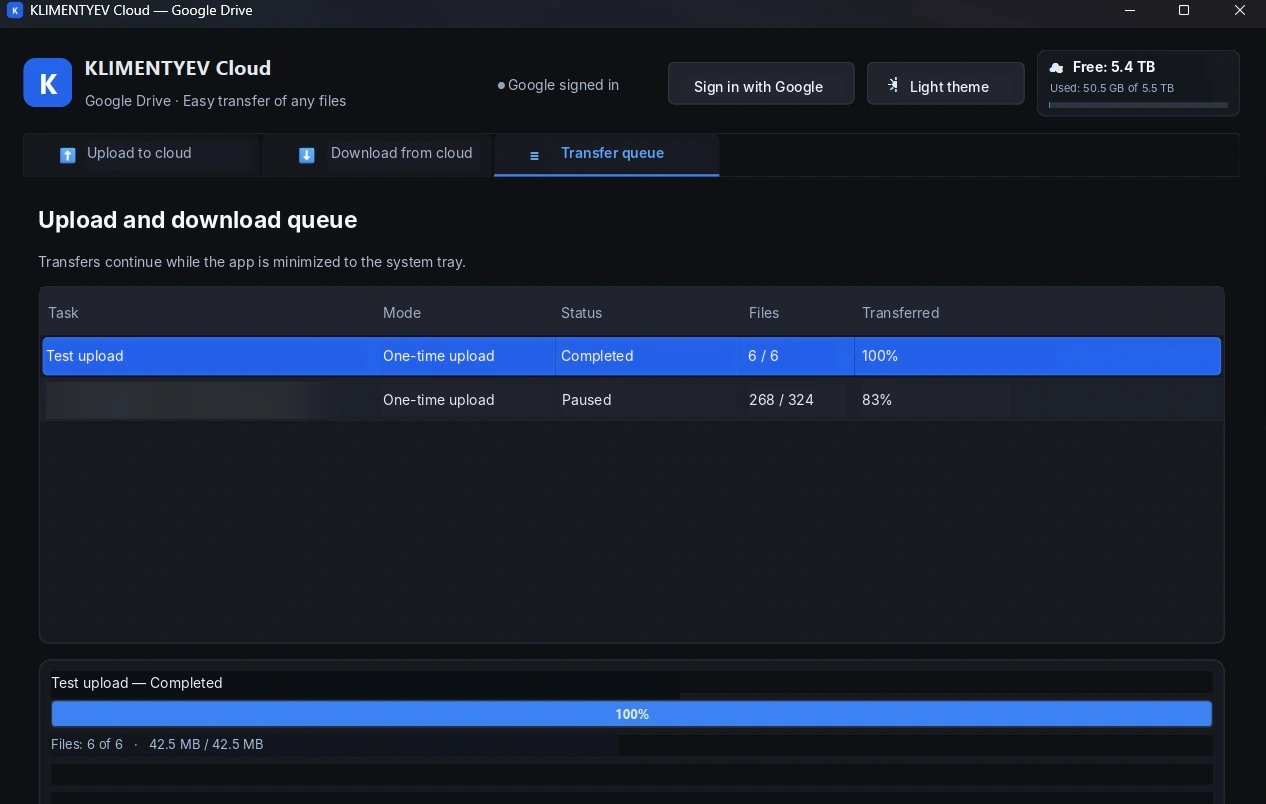
Transfer queue
See progress, pause individual transfers, and resume interrupted work.
Share by link
After an upload, you can choose to enable link-based viewing and copy the Google Drive link.
Local-first design
Google Drive files are transferred between your computer and Google's services—not through a developer-operated file proxy.
How it works
Sign in with Google
Authenticate using the official Google login flow in your browser. Your Google password is never entered into KLIMENTYEV Cloud.
Choose your task
Select a folder or files to upload, or provide an accessible Google Drive link for downloading.
Track and share
Monitor the transfer queue, manage pauses and copy sharing links when you choose to publish access.
Questions or access to a preview?
KLIMENTYEV Cloud is under development. Contact the developer about testing or documentation.
Contact developer →